![Grace Technologies_FC_White Text.png]](https://www.graceport.com/hs-fs/hubfs/Grace%20Technologies_FC_White%20Text.png?height=40&name=Grace%20Technologies_FC_White%20Text.png)
A: The HSM 600 can be integrated into Studio 5000 using a Custom Add-On Profile (AOP). This GraceSense ControlGate AOP is native in Studio 5000 v35 and above. It is compatible with Studio 5000 version 21 and later and is not compatible with RSLogix 5000.
Here is a link to download the GraceSense ControlGate AOP: GraceSense ControlGate AOP
After downloading, extract the files and run the MPSetup.exe file to install the GraceSense ControlGate AOP.
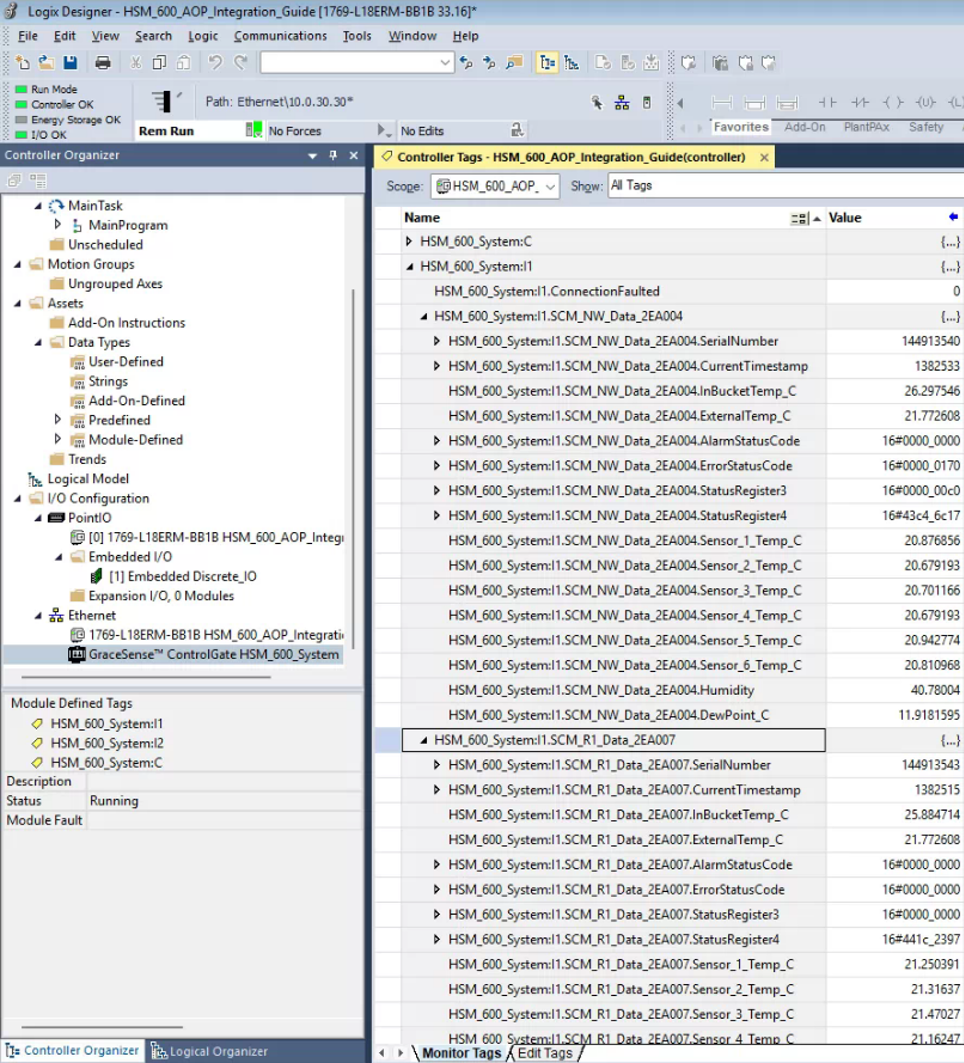
Once the AOP is installed (if needed), the device may be added to your project. The HSM 600 is first configured via the internal Web Server of the HSM 600 and a AOP File is exported (Image 1). After Adding the Device, the file is imported via the Device Configuration Page. Once created, the tags are then automatically displayed in the controller tags (Image 2).
Image 1: HSM 600 Configuration and File Export
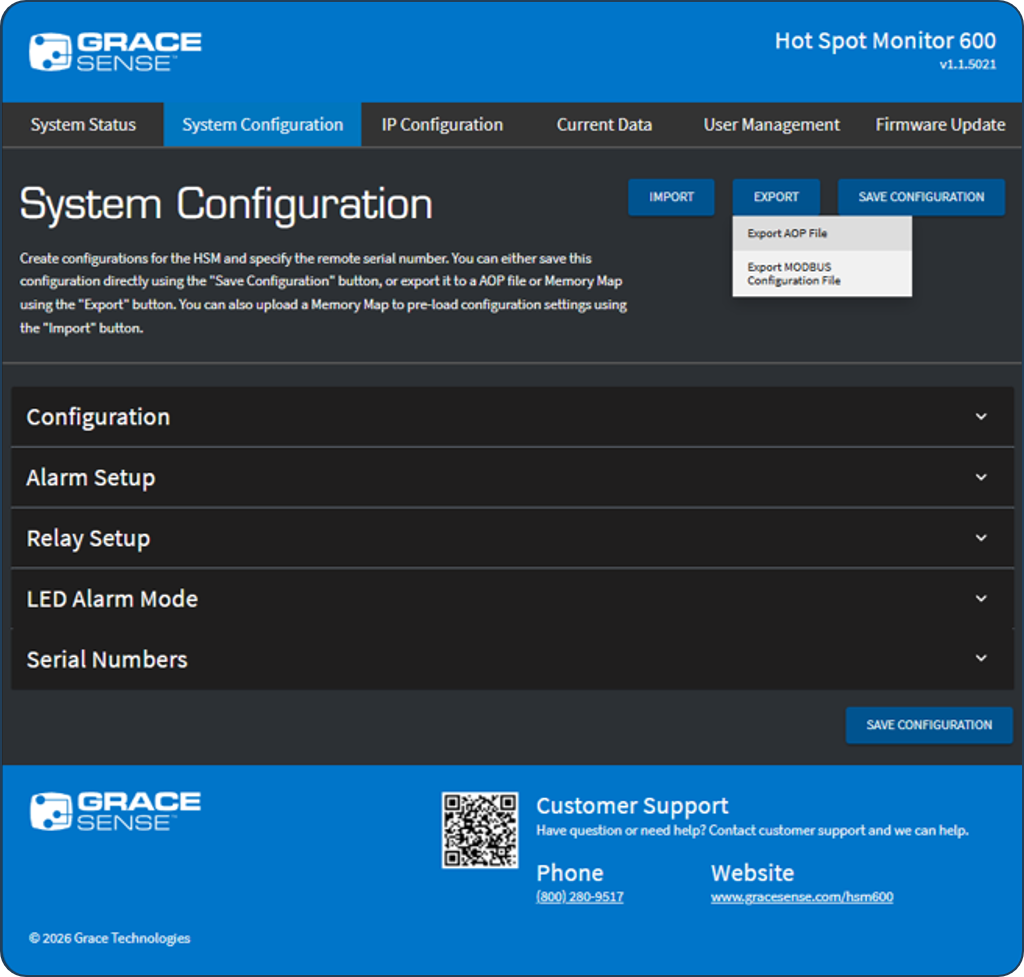
Image 2: Tags in the Controller Tags of the Project